


Description
Download Quick Guide To English Verbs – English Grammar, Verb Tenses, Irregular Verbs, Language Learning, Study Tool
Overview
Quick Guide To English Verbs functions as a structured reference tool designed to assist learners in mastering the complexities of English verb tenses. Its primary purpose is to provide clear, concise explanations of verb tenses and their applications, making it a valuable resource for students, educators, and self-learners. The guide addresses the common challenges associated with understanding time-based verb forms, including present, past, and future tenses, as well as more advanced constructions like the future perfect continuous. By offering detailed breakdowns and practical examples, it helps users grasp not only how to form these tenses but also when and why to use them in real-life communication.
Target users include language learners at various proficiency levels, from beginners seeking foundational knowledge to intermediate and advanced users aiming to refine their grammar. Teachers may also find it useful as a supplementary classroom aid. The guide’s categorization of irregular verbs into logical groupings supports memory retention and facilitates efficient study sessions. In the broader context of language learning tools, Quick Guide To English Verbs fills a niche by offering a focused, portable reference that complements digital and traditional learning methods.
The developer did not provide additional technical details. The app was released on February 1, 2007, indicating its long-standing presence in the educational software space. Although the developer did not specify minimum OS requirements or compatibility details, its enduring relevance suggests a stable and functional design. Real-world use cases include daily study routines, exam preparation, classroom instruction, and on-the-go grammar reference during language practice.
Key Features & Functionality
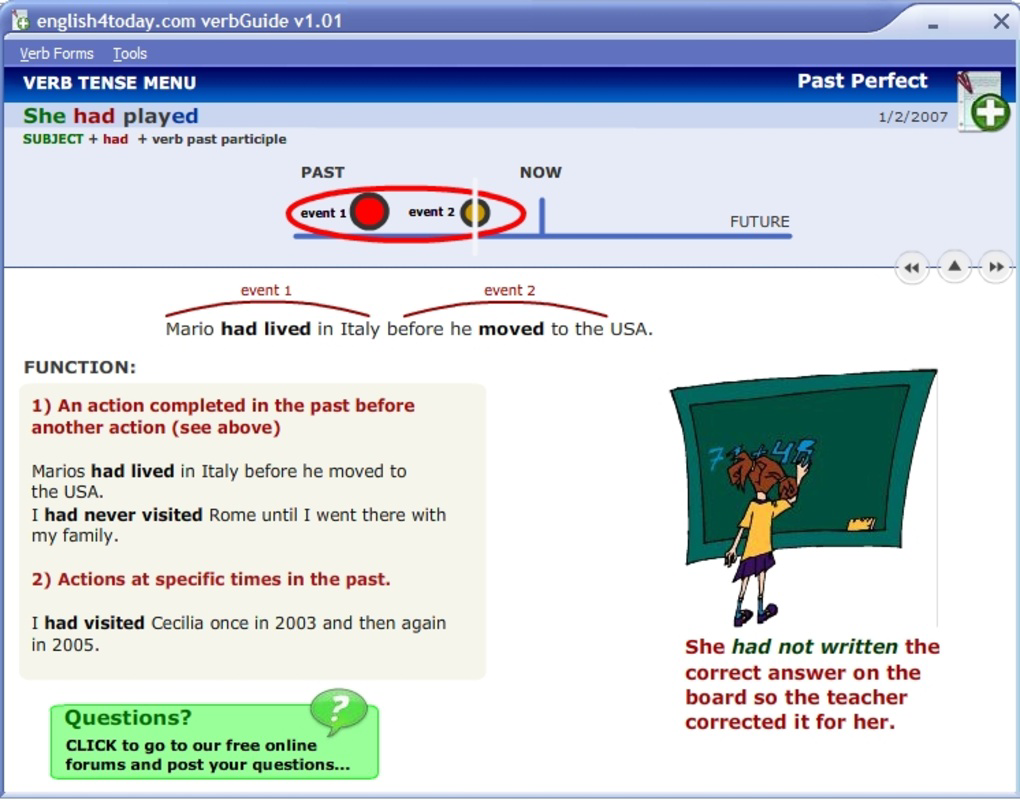
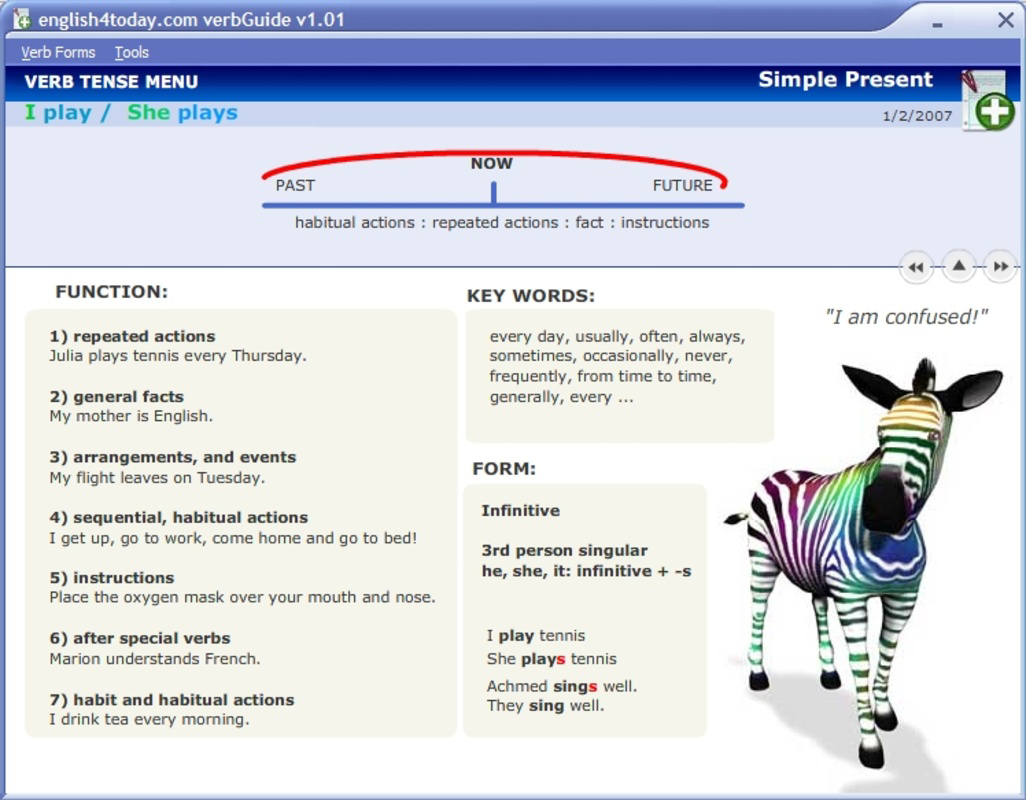
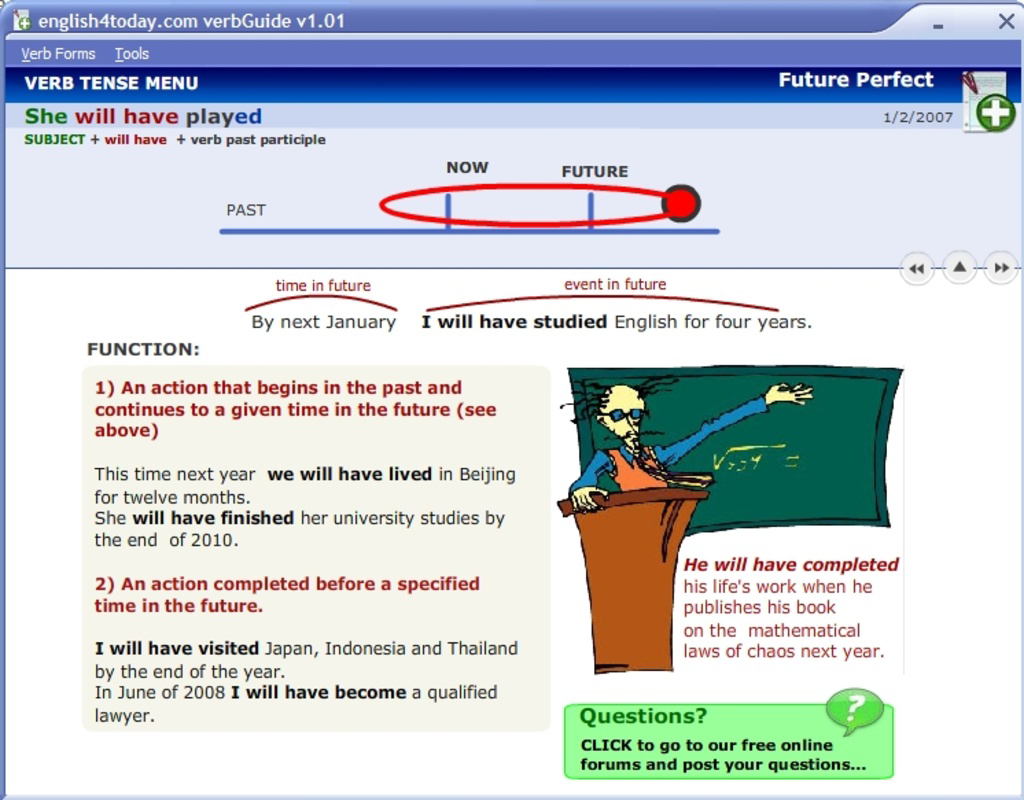
- Detailed Tense Explanations: Each verb tense is presented with a clear definition, time reference, and structural breakdown. This enables users to understand not just the form of a tense, but also its purpose in conveying temporal context.
- Real-World Examples: Every tense is accompanied by multiple contextual examples that demonstrate natural usage in everyday sentences. These examples help bridge the gap between theory and practical application.
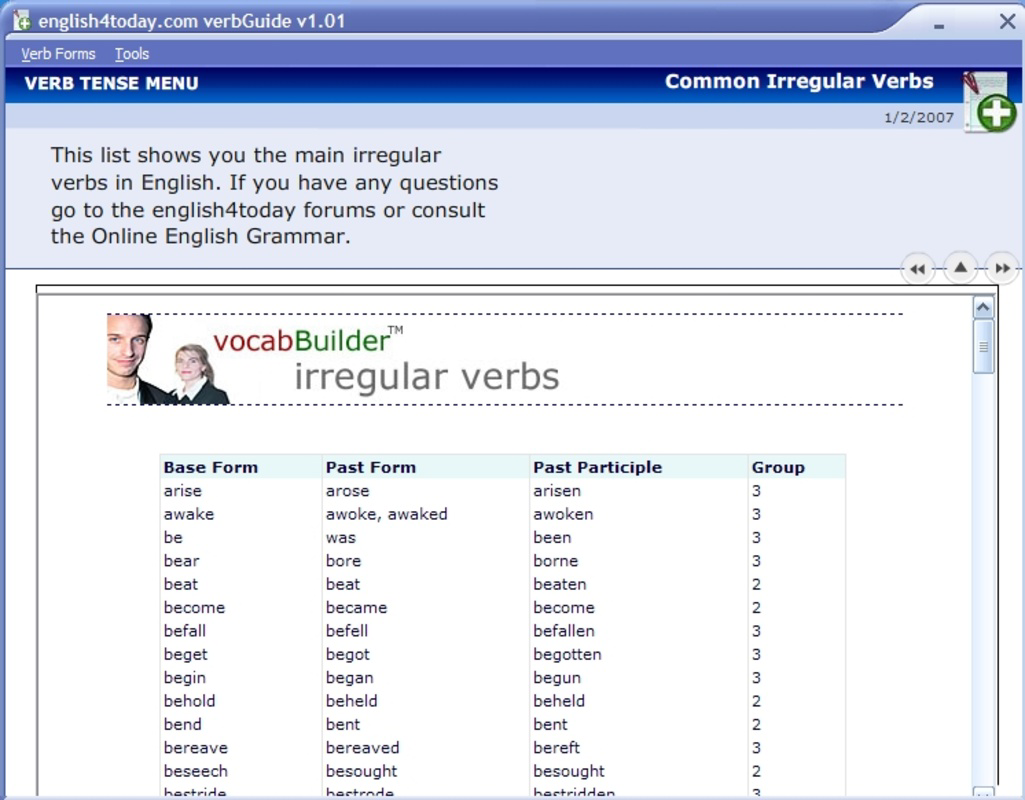
- Irregular Verb Groupings: Irregular verbs are organized into thematic clusters—such as those with similar past participle forms—allowing learners to study them in relation to one another, improving recall and reducing memorization fatigue.
- Comprehensive Tense Coverage: The guide spans from basic forms like present simple to complex constructions such as future perfect continuous, ensuring relevance across different learning stages.
- User-Friendly Format: A logical layout with consistent sectioning supports easy navigation. Users can quickly locate specific tenses or verb types without unnecessary delays.
For instance, a learner preparing for a language proficiency test can use the guide to review the past perfect tense and verify correct usage in narrative writing. Similarly, a teacher might reference the irregular verb groupings to create targeted exercises for students. The structured nature of the content allows for both passive reading and active study, making it adaptable to diverse learning styles.
Interface, UX & Performance
The interface of Quick Guide To English Verbs appears to prioritize clarity and accessibility over visual flair. The layout is likely organized in a linear, topic-based format, with each tense presented in a dedicated section. Navigation is expected to be straightforward, relying on clear headings and possibly a table of contents or index for quick access to specific topics.
Visual style is likely minimalist, focusing on text readability with consistent font sizes and spacing. This design choice supports prolonged reading sessions and reduces cognitive load. Users can expect a stable experience, though the developer did not list formal performance metrics. Although the developer did not list formal performance metrics, the app’s long-standing availability suggests a level of reliability and compatibility across older and newer devices.
Responsiveness is assumed to be adequate for a static reference tool, with minimal lag during navigation. Stability is likely maintained due to the app’s non-interactive, content-driven nature. However, the developer did not specify compatibility with specific device categories or screen sizes. Users should expect consistent performance on standard smartphone displays, but no guarantees are made regarding tablet or large-screen optimization.
Platform Compatibility & Technical Requirements
Quick Guide To English Verbs is available on Android and iOS platforms. The app’s software version is not specified in the provided information. The file size is listed as 1.2 MB, indicating a lightweight application that requires minimal storage space.
The developer did not specify minimum OS requirements or compatibility details. As such, users should verify device compatibility through official app store listings. No additional technical specifications were provided, including processor, RAM, or graphic capabilities. The app’s small size suggests it is optimized for low-end devices and stable performance on older systems.
Pros and Cons
Pros
- Lightweight design with a small file size of 1.2 MB, ideal for low-storage devices.
- Comprehensive coverage of English verb tenses from present simple to future perfect continuous.
- Clear, concise explanations suitable for learners at multiple proficiency levels.
- Organized categorization of irregular verbs enhances memorization and study efficiency.
- Free to download and install, offering accessible language learning support.
Cons
- The developer did not provide specific compatibility information for operating systems or device types.
- No details were given about update frequency or future development plans.
- Navigation may be limited to basic text-based browsing without advanced search or bookmarking features.
- Visual design elements were not described, so users cannot assess aesthetic appeal or accessibility features.
- Performance on newer devices or large screens was not confirmed.
FAQ
Is Quick Guide To English Verbs free to download?
Yes, the app is available at no cost. Users can download and install it without any purchase requirement.
What platforms does Quick Guide To English Verbs support?
The app is designed for Android and iOS devices. Specific compatibility details were not provided by the developer.
Can I use this app offline?
Given its static, reference-based nature, the app is likely functional without an internet connection. However, the developer did not explicitly confirm offline access.
How often is the app updated?
The developer did not disclose update frequency. The app was released in 2007, but no information is available on current maintenance or new feature rollouts.
Is the content safe and secure for students?
As a static reference tool with no external links or data collection, the app poses minimal security risk. It is suitable for educational use across age groups.
Final Thoughts + CTA
Quick Guide To English Verbs remains a dependable resource for anyone seeking to strengthen their understanding of English verb tenses. Its structured approach, combined with clear explanations and practical examples, makes it a useful companion for both independent learners and educators. The inclusion of irregular verb groupings adds a strategic dimension to study routines, helping users build confidence through pattern recognition.
While the app lacks modern interface enhancements and detailed technical specifications, its core functionality is solid and purpose-driven. For students, teachers, and language enthusiasts who value accuracy and simplicity, this tool delivers consistent value. Its lightweight nature ensures it runs smoothly on a wide range of devices, making it accessible to users with limited storage or older hardware.
Download Quick Guide To English Verbs now
Guides & Tutorials for Quick Guide To English Verbs
How to install Quick Guide To English Verbs
- Click the Preview / Download button above.
- Once redirected, accept the terms and click Install.
- Wait for the Quick Guide To English Verbs download to finish on your device.
How to use Quick Guide To English Verbs
This software is primarily used for its core features described above. Open the app after installation to explore its capabilities.
User Reviews for Quick Guide To English Verbs 0
No reviews found


